Outlook 最適化
なにを思ったか急にここの存在を思い出す(笑)
Outlookが不調な時にやれる事をメモ
なんかいろいろ調子悪い
受信トレイ修復ツール『SCANPST』の場所と使い方 | パソコントラブル情報をピックアップ
検索機能が不調
WiFi の規格一覧
WiFi のStandardsはIEEEが決めて、WiFi Allianceが名前を付けている
|
Year |
Frequency Bands |
Max. Signaling Rate |
Channel width |
||
|
802.11 Prime |
|
1997 |
2.4GHz |
2Mbps |
22MHz |
|
202.11 b |
|
1999 |
|
11Mbps |
22MHz |
|
802.11 a |
|
1999 |
5GHz |
54Mbps |
20MHz |
|
802.11 g |
|
2003 |
2.4GHz |
54Mbps |
20MHz |
|
802.11 n |
Wi-Fi 4 |
2009 |
2.4 and 5GHz |
600Mbps |
20, 40 MHz |
|
802.11 ac |
Wi-Fi 5 |
2013 |
5GHz |
6933Mbps |
20, 40, 80, 160MHz |
|
802.11 ax |
Wi-Fi 6 |
2019 |
2.4 and 5GHz |
9600Mbps |
20, 40, 80, 160MHz |
|
802.11 ax |
Wi-Fi 6E |
2021 |
2.4, 5 and 6GHz |
9600Mbps |
20, 40, 80, 160MHz |
|
802.11 be |
Wi-Fi 7 |
2024? |
2.4, 5 and 6GHz |
46Gbps |
20, 40, 80, 160, 320MHz |
Wi-Fi 7 の良いところはTP-Linkさんのページで...
GRE Tunnel Interface が Dest-route-down
root@TSUTSUJIGAOKA> show interfaces gr-0/0/0
Physical interface: gr-0/0/0, Enabled, Physical link is Up
Interface index: 647, SNMP ifIndex: 503
Type: GRE, Link-level type: GRE, MTU: Unlimited, Speed: 800mbps
Device flags : Present Running
Interface flags: Point-To-Point SNMP-Traps
Input rate : 0 bps (0 pps)
Output rate : 0 bps (0 pps)Logical interface gr-0/0/0.0 (Index 561) (SNMP ifIndex 577)
Flags: Hardware-Down Up Point-To-Point SNMP-Traps 0x4000
IP-Header 192.168.100.1:192.168.200.1:47:df:64:0000000000000000 Encapsulation: GRE-NULL
Copy-tos-to-outer-ip-header: Off, Copy-tos-to-outer-ip-header-transit: Off
force-control-packets-on-transit-path: Off
Gre keepalives configured: Off, Gre keepalives adjacency state: down
Input packets : 0
Output packets: 0
Protocol inet, MTU: Unlimited
Max nh cache: 0, New hold nh limit: 0, Curr nh cnt: 0, Curr new hold cnt: 0, NH drop cnt: 0
Flags: Sendbcast-pkt-to-re
Addresses, Flags: Dest-route-down Is-Preferred Is-Primary
Destination: 192.168.10.0/30, Local: 192.168.10.2, Broadcast: 192.168.10.3
おいおい、ちゃんとRouteあるぞ。
{master:0}[edit]
root@TSUTSUJIGAOKA# run show route table r3r3.inet.0: 16 destinations, 16 routes (16 active, 0 holddown, 0 hidden)
+ = Active Route, - = Last Active, * = Both: <snip>
192.168.100.1/32 *[OSPF/10] 20:33:39, metric 2
> to 192.168.4.2 via et-0/0/30.0
Routing-instanceの中に終端する時には、以下のOptionが必要なそうだ。
{master:0}[edit]
root@TSUTSUJIGAOKA# show interfaces gr-0/0/0
unit 0 {
tunnel {
source 192.168.200.1;
destination 192.168.100.1;
routing-instance {
destination r3;
}
}
family inet {
address 192.168.10.2/30;
}
}
Routing-instance内にInterface書いてるのに変なの。
{master:0}[edit]
root@TSUTSUJIGAOKA# show routing-instances
r3 {
instance-type virtual-router;
routing-options {
rib r3.inet.0 {
static {
route 192.168.6.0/24 next-hop 192.168.5.100;
route 192.168.100.1/32 next-hop 192.168.4.2;
}
}
}
protocols {
ospf {
area 0.0.0.0 {
interface all;
interface gr-0/0/0.0 {
disable;
}
}
}
}
interface gr-0/0/0.0;
interface et-0/0/30.0;
interface et-0/0/31.0;
interface lo0.2;
}
ちゃんとUpした。
{master:0}[edit]
root@TSUTSUJIGAOKA# run show interfaces gr-0/0/0
Physical interface: gr-0/0/0, Enabled, Physical link is Up
Interface index: 647, SNMP ifIndex: 503
Type: GRE, Link-level type: GRE, MTU: Unlimited, Speed: 800mbps
Device flags : Present Running
Interface flags: Point-To-Point SNMP-Traps
Input rate : 0 bps (0 pps)
Output rate : 0 bps (0 pps)Logical interface gr-0/0/0.0 (Index 562) (SNMP ifIndex 577)
Flags: Up Point-To-Point SNMP-Traps 0x4000 IP-Header 192.168.100.1:192.168.200.1:47:df:64:0000000000000800
Encapsulation: GRE-NULL
Copy-tos-to-outer-ip-header: Off, Copy-tos-to-outer-ip-header-transit: Off
force-control-packets-on-transit-path: Off
Gre keepalives configured: Off, Gre keepalives adjacency state: down
Input packets : 0
Output packets: 0
Protocol inet, MTU: 1476
Max nh cache: 0, New hold nh limit: 0, Curr nh cnt: 0, Curr new hold cnt: 0, NH drop cnt: 0
Flags: Sendbcast-pkt-to-re
Addresses, Flags: Is-Preferred Is-Primary
Destination: 192.168.10.0/30, Local: 192.168.10.2, Broadcast: 192.168.10.3
身近なランサムウェアのリスクと対処
アメリカ最大の石油パイプラインがランサムウエアのターゲットになった事件は、今までにないレベルのインパクトだったように思います。
個人レベルだと、そんなに重要なデータ無いから、、、とタカを括っていても、実際にやられて、身代金を払っても、ほとんどのケースで完全復旧しないらしい...
最近はクラウドベースでデータを保存することが多いと思うが、身近なところで保存しているデータとして私は写真と動画をNASに上げています。
#以前はそこからAmazon Photoに一方向同期していたけど、今年に入ってAmazonからAPIが閉じられました...
QNAPは有名なNASベンダーの一つ、QNAPのユーザもランサムウェア被害にあっているそうで、常に最新のファームウェアを使用し、ランサムウエアを削除する Malware Remover も定期的に実行しています。
Juniper が Apstra を買収
Juniper NetworksがData Centerのネットワークを構築・管理するソフトウェアメーカーのApstraを買収する旨が、Juniper、Apstra、双方から発表された。
ApstraのAnnounce
JuniperのAnnounce
最近Juniperは、Netrounds、128 Technologyを買収していてこれで3社目。
急にポートフォリオが増えて、SEも憶えること満載であるw
QNAP Security Update
今回の主なセキュリティ関係のFix
- Fixed a command injection vulnerability (CVE-2020-2509).
- Fixed a Python code injection vulnerability.
- Fixed an improper access control vulnerability.
- Fixed a command injection vulnerability.
- Fixed a security vulnerability in the Linux kernel (CVE-2020-24394).
人気ソフトと転売ヤーと街のゲームショップ
Nintendo SwitchのRing Fit Adventureがついに買えた。
買えたのは街のGEO(ゲオ)
ビックカメラもヨドバシカメラもヤマダ電機もイオンも無かったのに、
街のレンタルビデオ屋のGEOで新品が置いてあった。
転売屋から買うのを我慢して良かったぞ!
ゲオは今はストリーミングサービスに押されて下火のレンタルビデオビジネスより、中古スマホ販売等の方がメインぽいが、色々見てみると新作ゲームの予約販売とかで10%オフとかもやっている。
そういえば、娘のSwitch Liteもゲオで買ったな。
街のゲームショップとかも残ってほしいなという感覚になったので、通常ゲームソフトはダウンロード買いしていたけど、今後はゲオから買おうかなという気になった。
では早速やってみる。

太ももキープ!
楽しい、これは楽しいぞ。
Wii Fitはすぐ挫折したが、これは続きそうだ。
何が良いって、Wii Fitがイヤイヤジムに行くような気持ちになるのに対して、
- ゲームなので、高得点を取りたくなる。
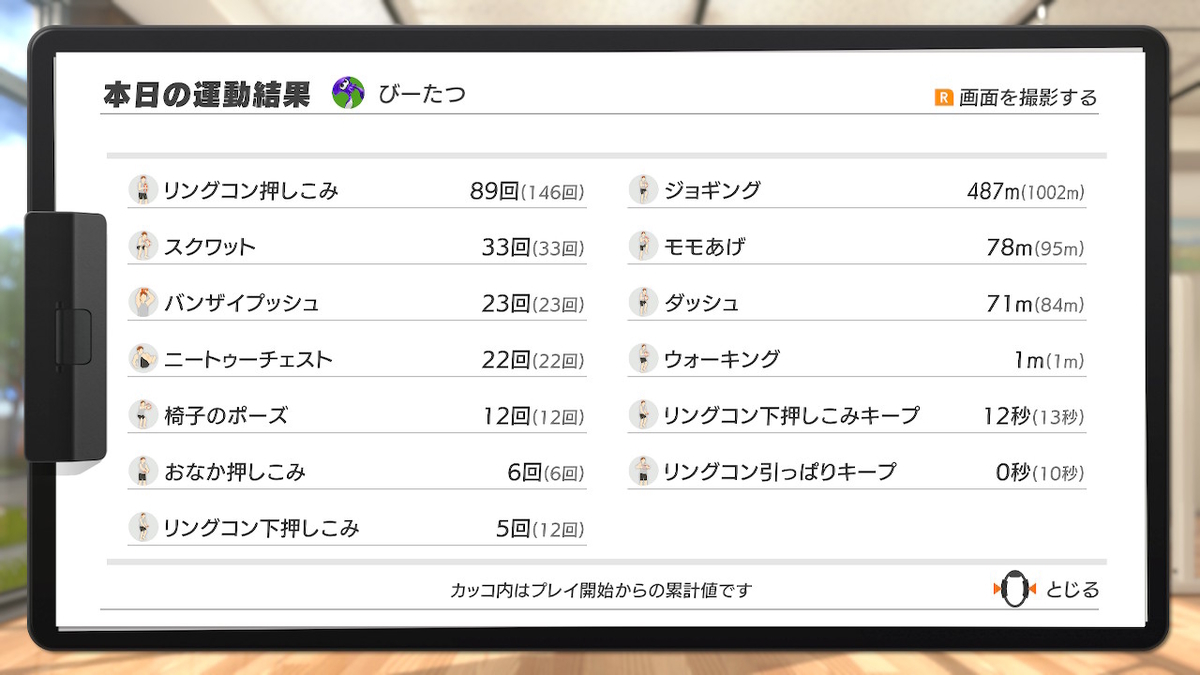
しかしこれまでもこんな高揚感はすぐ冷めて来たので、このブログ同様いつまで続くかは謎ではある。
減量をゴールに置くと辞めそうなので、まずは習慣化をゴールにしたいところ。
